Why I built it
I wanted to know what is actually on my network and what changed on it, without guessing. Nothing in the home lab space does that honestly, most of it either floods you with noise or hides how it decided something changed at all. So I built the engine myself: scanning, inventory, and event detection that compute severity from code, not from a model's opinion.
What it does
GuardiAI scans a network, builds an inventory of the assets and services it finds, and generates events when something opens, closes, or repeats. Every event carries a severity and a trail of the exact observation that produced it, decided by code, never by a guess. The CLI is the base: 23 command groups and roughly 100 subcommands cover scanning, asset curation, event review, report generation, and delivery. Telegram calls those same functions directly, no separate copy of the logic for it. The console is newer and goes through an API in front of that same base.
What actually happens when you message it
Send the bot a command and here is the real path it takes. The bridge polls Telegram for new messages and checks the sender's chat id against an allowlist first, anyone not on it gets "Not authorized" and nothing runs. What's left gets parsed against a fixed set of commands, /status, /scan, /report, /ask, /help, and every single one, authorized or not, gets written to an audit log I can read back with guardiai telegram history. A recognized command calls the exact same library function the CLI calls for that same action, there is no second implementation sitting behind Telegram.
/ask #auditor plus a question attaches that skill's verified instructions, matches the question against the report types it's allowed to use, actually generates that report from real data, then hands the AI the real numbers to summarize, not the raw question. /ask #security-engineer approved grants active mode for a real 24 hour wall clock window, no renewal, it just expires. Under that grant the same skill can dispatch an actual scan through the identical systemd path the built in /scan command uses. That dispatch does not block the bridge: it comes back with a queued acknowledgement immediately, the bridge keeps answering other messages while the scan runs, and exactly one completion message goes out when the scan is actually done, never before.
The mailing part
Replying "email it" after a scan or a report doesn't fake a send. It generates the real report, coverage_validation for a scan result, whichever type was asked for otherwise, and pushes it through the same SMTP delivery pipeline the scheduled digest already uses, not a one off mailer bolted onto Telegram. That took a real fix to get working: the bridge runs as its own systemd unit, and systemd does not share a credential across units automatically, so the bridge had no access to the SMTP credential even though it was fully configured elsewhere and the scheduled digest worked fine. Confirmed with a real message actually sent, not just a queued job.
The part I care about
Network truth, what was seen, what changed, lives in its own store, kept separate from accounts and sessions on purpose, so nothing about who is logged in can quietly influence what GuardiAI reports as fact. The AI sits on top of that and it can narrate a real report or, under a grant that expires on its own, trigger a real scan and send a real email, but it never touches severity and it never opens or closes an event itself. And whichever door you come in through, the CLI, Telegram, or the console, you're hitting the same functions underneath, not three different implementations that can quietly drift apart from each other.
What the console teases
The engine, the CLI, and Telegram already do real work. The console is what's new and what this page is actually teasing: a visual layer covering health, inventory, events and open conditions, collection, reports, delivery, and an ad hoc query tool, 52 routes so far. A couple of destinations on the rail still say plainly that they aren't built yet instead of faking a screen for them. The screens below are the console itself.
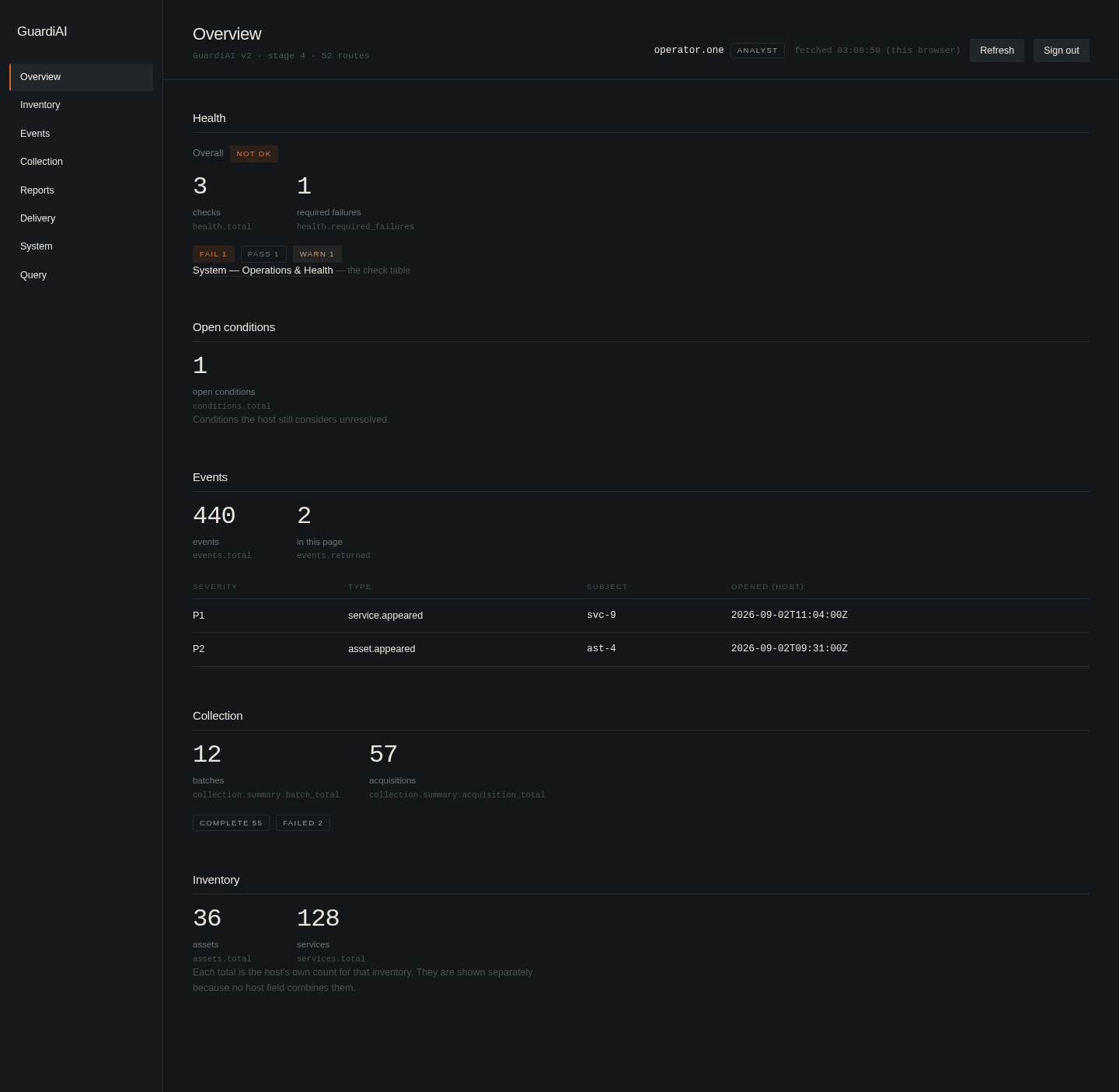
01 Overview. Health, open conditions, events, collection, and inventory in one place.
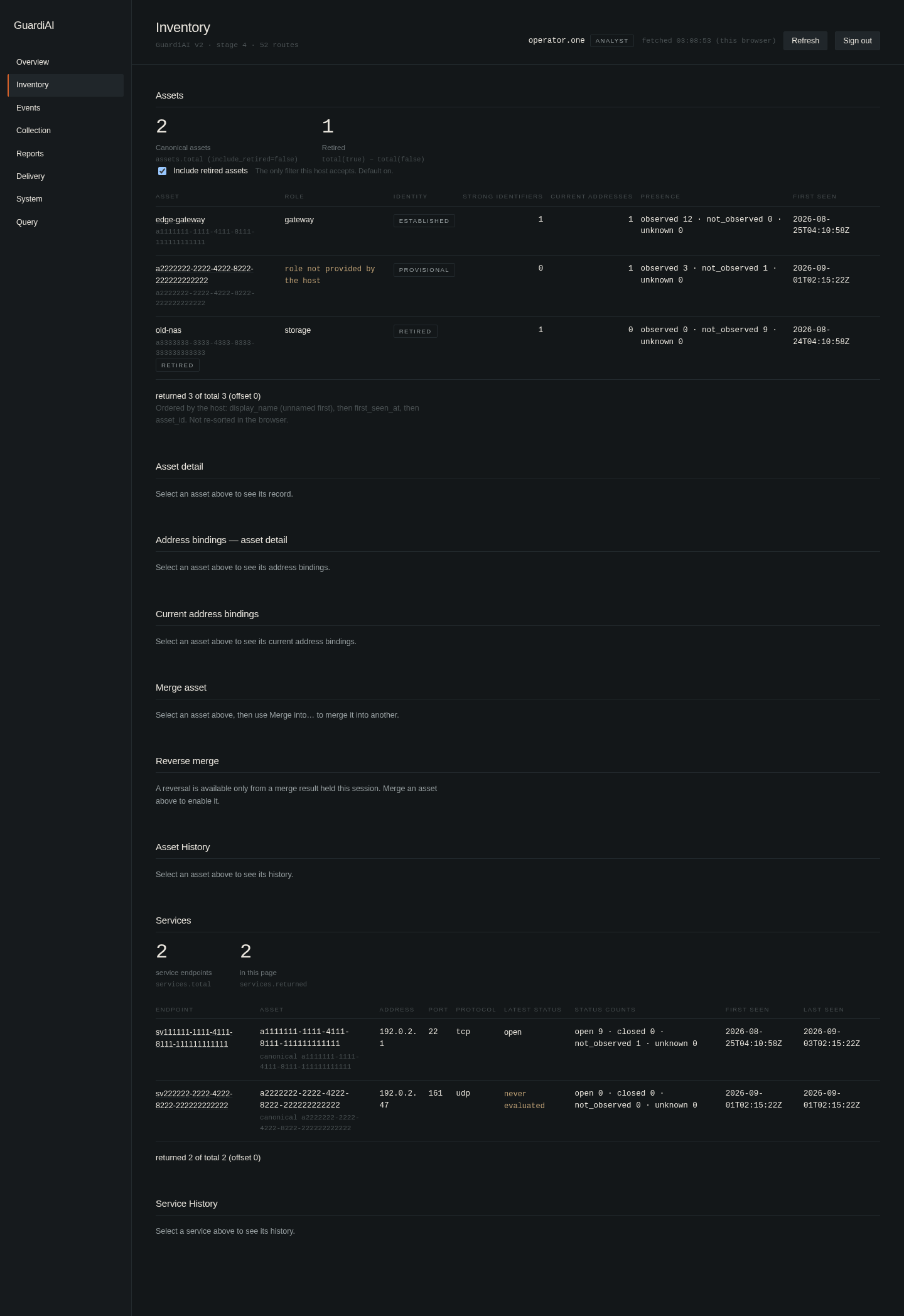
02 Inventory. Assets and services, with identity tracked as established, provisional, or retired.
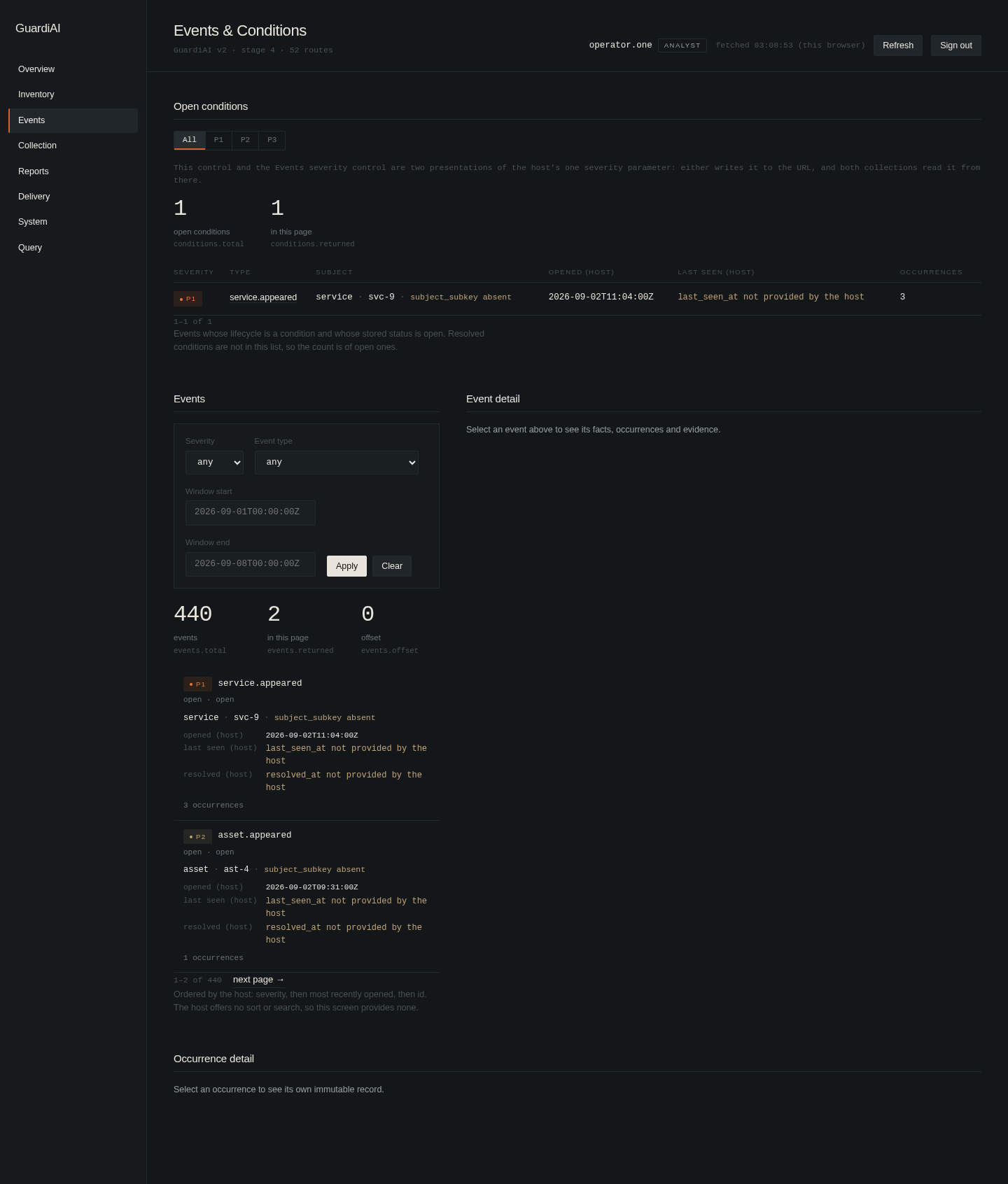
03 Events and conditions. The alert feed, open conditions by severity, and per event detail.
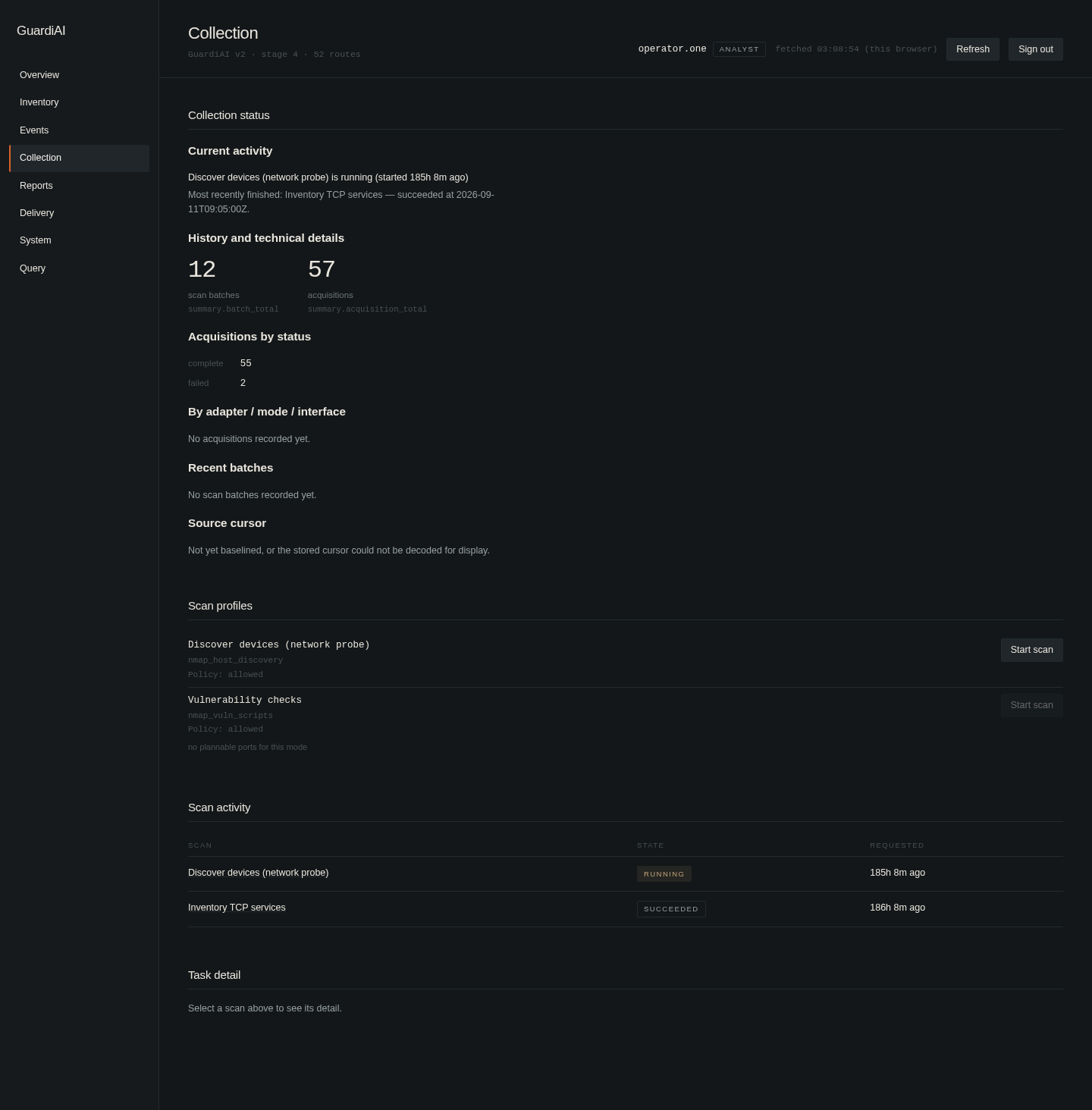
04 Collection. Scan profiles, live scan activity, and acquisition history.
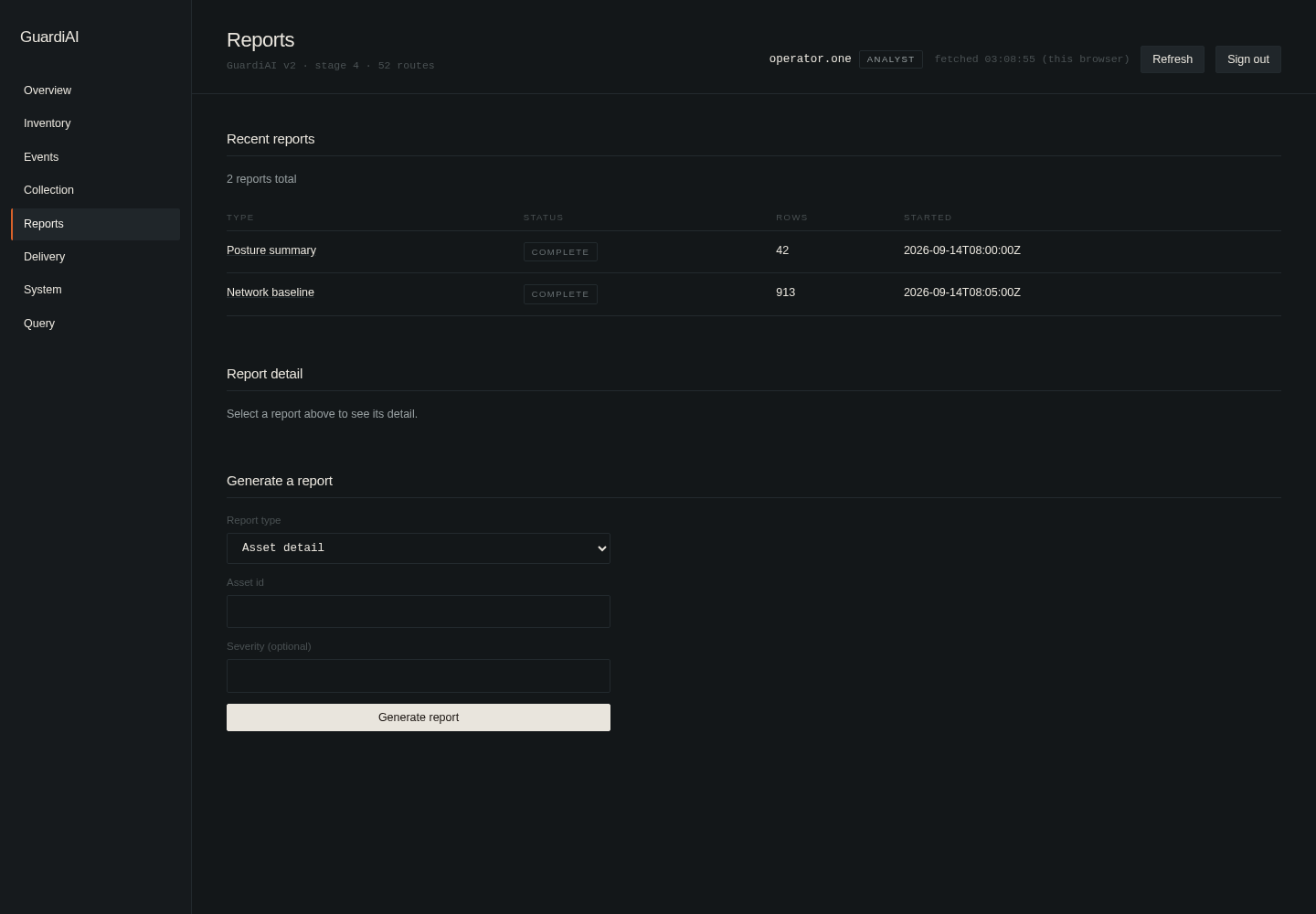
05 Reports. Recent report runs and a form to generate a new one.
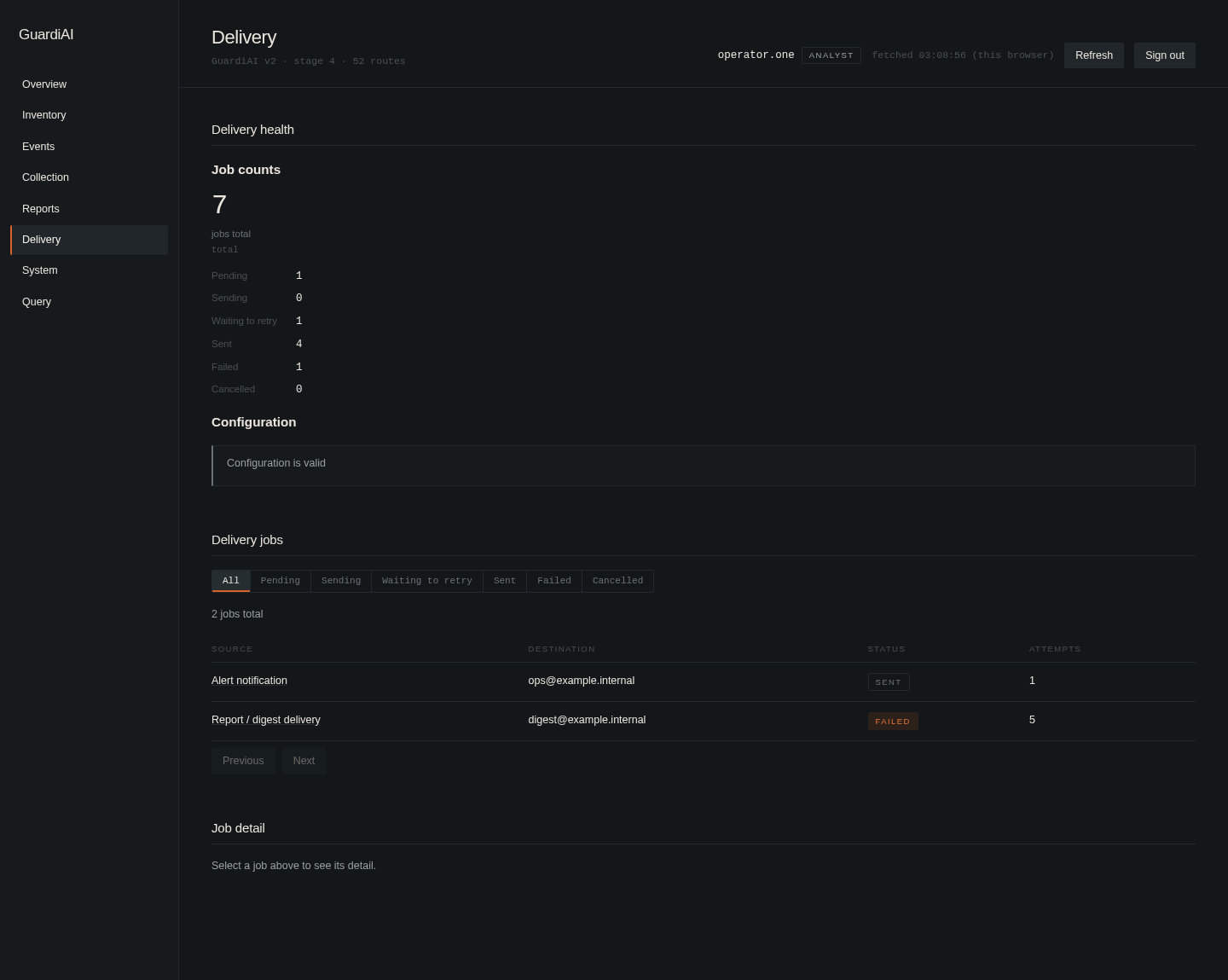
06 Delivery. The email job queue, with status and attempt counts per job, the same pipeline the mailing part above runs on.
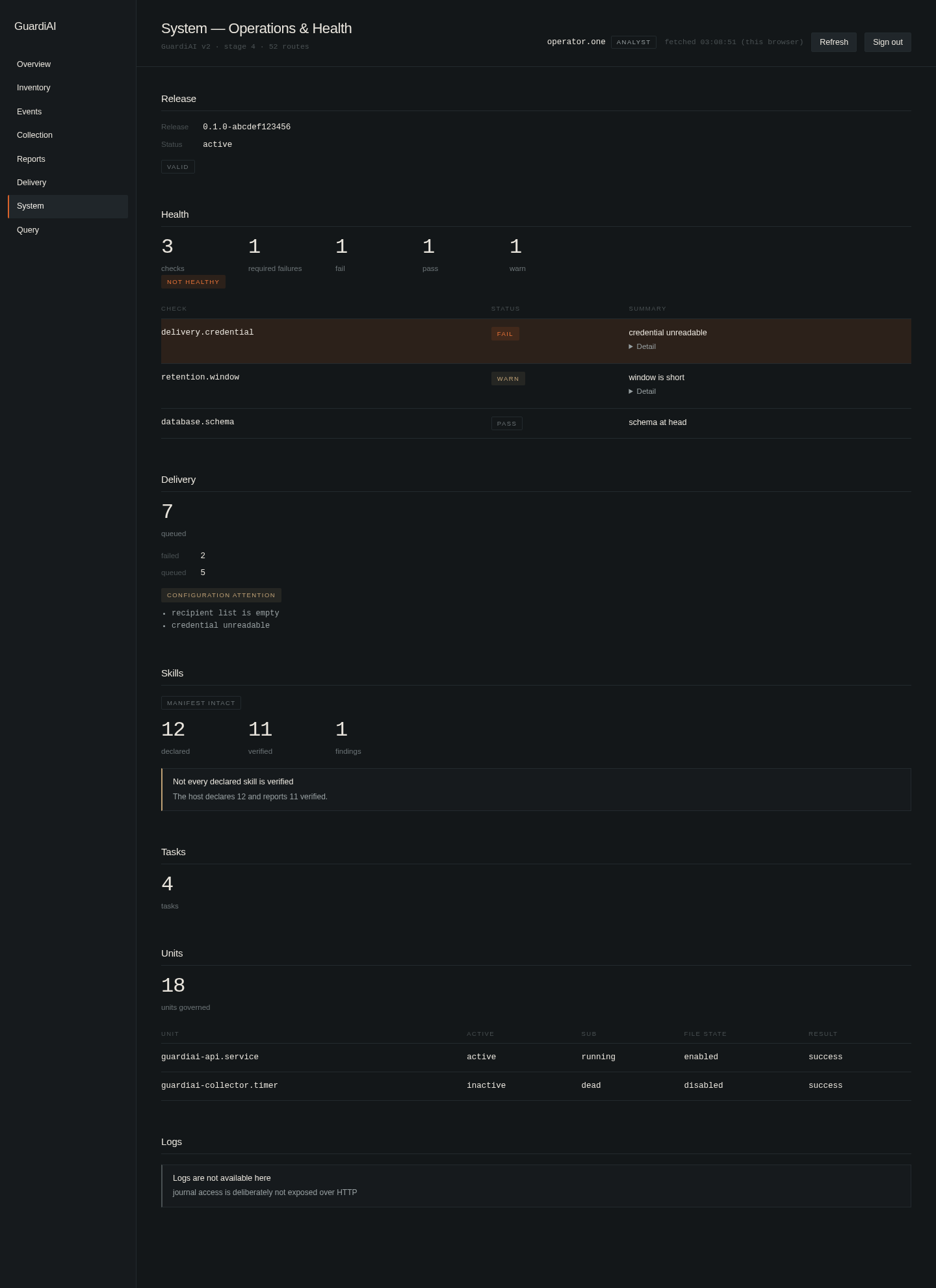
07 System. Release status, per check health, skills, tasks, and the units GuardiAI governs.
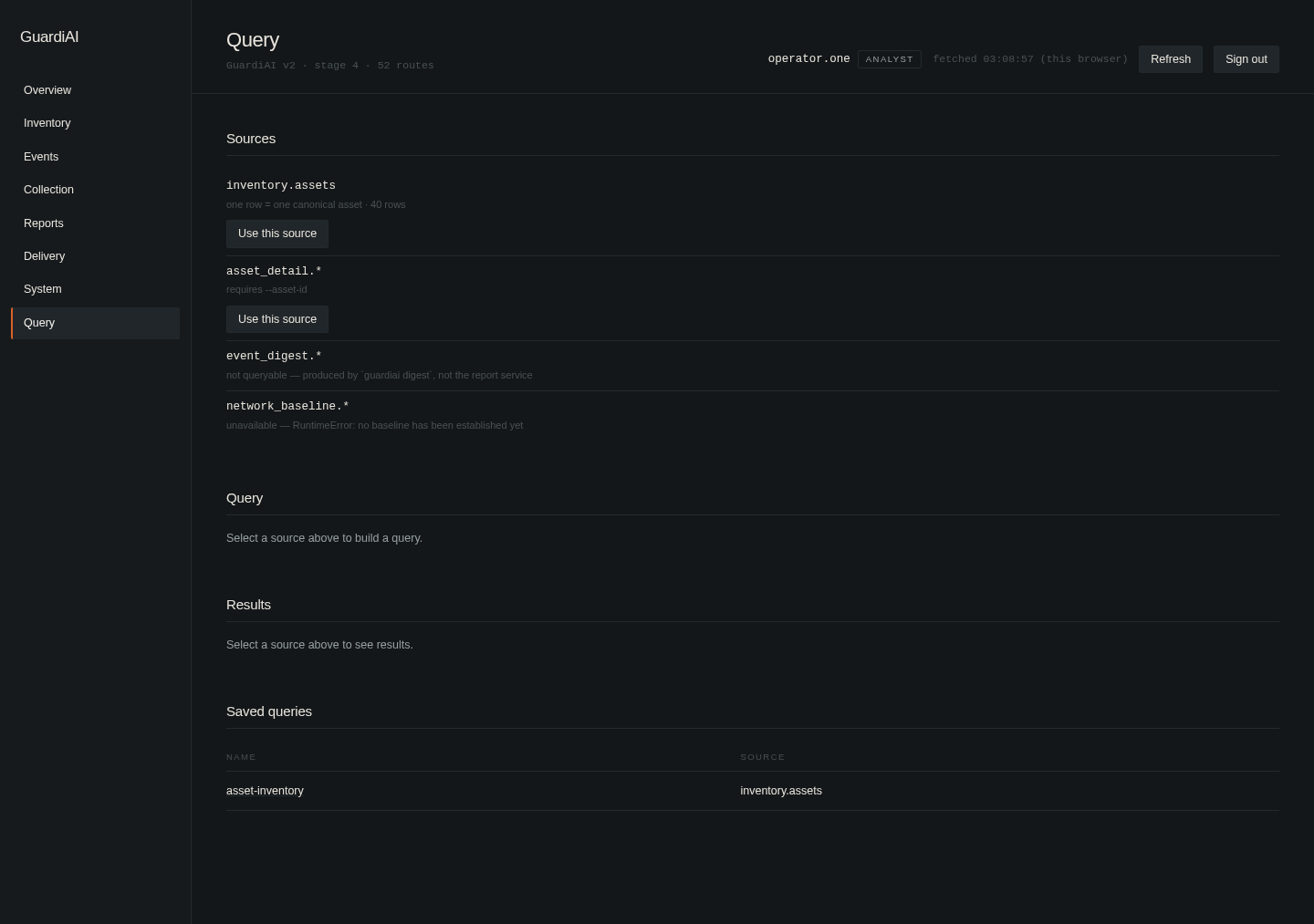
08 Query. An ad hoc query builder over the same sources the other screens read from.
A couple of small things visible in these screens that I like, because they were decisions and not accidents. The System screen states outright that journal logs are not available over the API, on purpose, GuardiAI deliberately keeps that surface off HTTP. The Events screen notes that its severity filter and the Events tab's own filter are two views of the same one parameter, so they cannot drift apart. And the Query screen tells you plainly when a source is not usable yet, like a report type with no baseline established, instead of returning an empty result and letting you guess why.
Where it stands
The console is real and running, but it's the youngest part of the system. The engine, the CLI, and Telegram have been proven end to end on a live host, real scans dispatched, a real email sent, a real active mode grant expiring on schedule exactly as it should. The console still has destinations left to fill in, and this page will get another pass as it does.